PDXpert PLM Software
Simple, flexible product lifecycle management software for growing companies™
PDXpert PLM software: Current download
The current PDXpert PLM software download is
Release
16.0.3224.5
For use with license subscriptions ending on or after
2023-03-13
To find your current PDXpert PLM software release and whether it can be upgraded:
- Open your PDXpert client application with a user account that has administrator permissions.
- From the menu, select
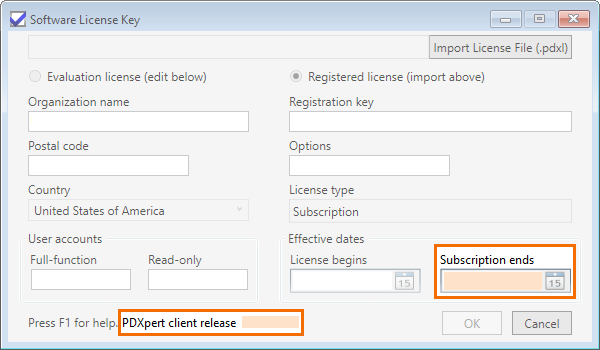
In older releases, the release identifier can be viewed on the log-in window and in the Help > About PDXpert PLM window.
- If your release is the same as the current release shown on this page, then you don't need to upgrade your system.
- If your PDXpert PLM software release is not current, and your license subscription ends on or after the date shown on this page, then download the current version. Registration takes just a minute, and you'll have all of the latest features and capabilities.
- If your license subscription ended before the date shown on this page and you want to upgrade to the current PDXpert release, please contact us to renew your license subscription.
Contact us if you need assistance.
Release notes (change history)
Notes for the current PDXpert PLM release: PDXpert 16.0.3224.5
The Install Guide: Release notes is the list of all software release notes from 2009 to the present. You can also learn about new feature releases as they're published.